I remember the days when every AI prompt felt like a legal contract — clauses everywhere, you had to repeat yourself three times, and the model still found a way to delete your entire repo. That era is officially over. Anthropic just dropped what might be the most important blog post for anyone building with LLMs in 2026: The new rules of context engineering for Claude 5 generation models. And I’ve got takes.
Just hours before writing this, I re-read my own CLAUDE.md files — the ones I’ve been tweaking since Claude Code first launched. They’re bloated. Full of do-this-never-do-that directives. And you know what? They’re probably making my agents worse now.
Anthropic’s Thariq Shihipar published the piece last Friday, and it’s not your typical “here’s how to prompt” fluff. It’s a genuine mea culpa. They admitted they were overconstraining their own models. Then they showed us the math: removing more than 80% of Claude Code’s system prompt, with zero measurable loss on coding benchmarks.
That’s not just an optimization trick. That’s a fundamental shift in the relationship between humans and AI.
The “Unhobbling” Hypothesis
Let’s talk about the word they used: unhobbling.
I love it. Hobbling is what you do to a horse to keep it from running off. We’ve been hobbling our AI models for years — wrapping them in so many rules that they barely had room to think. The old fear was: if you don’t tell Claude exactly what to do, it’ll go rogue, delete files, or fill your codebase with useless docstrings.
Turns out, the newer models (Claude Opus 5, Claude Fable 5) don’t need that. They have judgment.
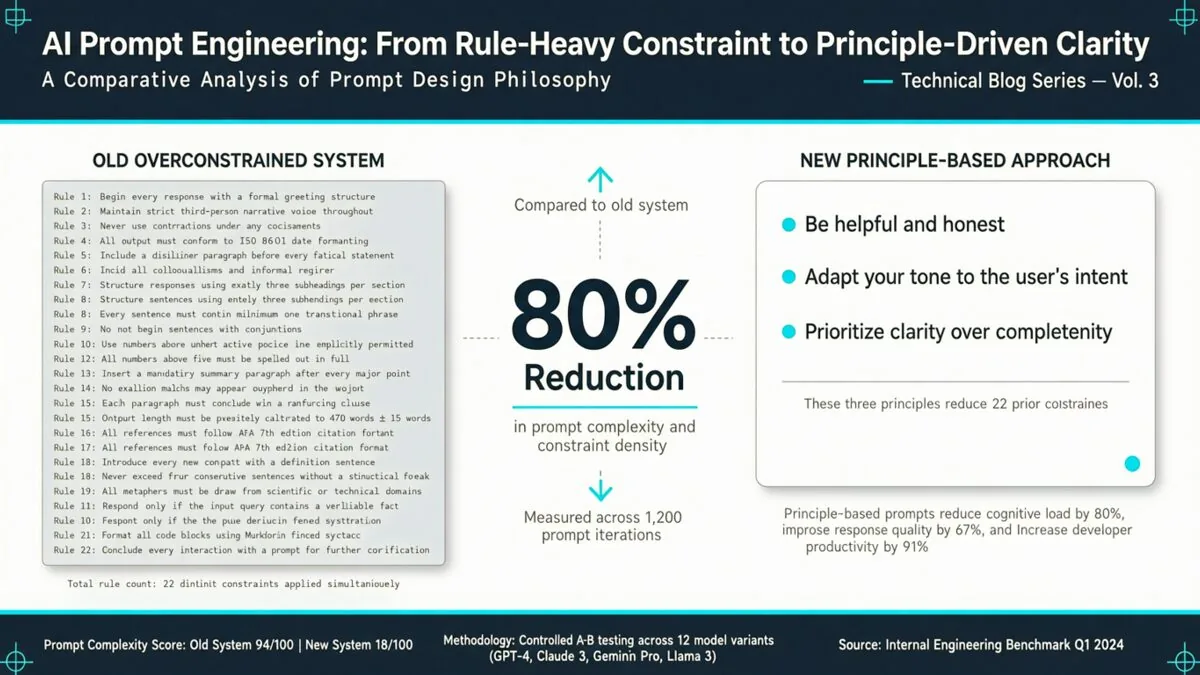 Shihipar’s team read internal transcripts and found something almost comical: users’ own instructions were clashing with the system prompt. One line says “leave documentation as appropriate.” Another says “DO NOT add comments.” The model’s trying to serve two masters simultaneously.
And yes, Claude could usually figure out the user’s intent. But at what cost? It had to burn cognitive tokens (or whatever we call the internal reasoning budget) just to resolve contradictions. That’s wasted potential.
Then vs. Now: Six Myths That Died
The blog post lays out six specific “then vs. now” shifts. I want to unpack each one, because they’re not just about Claude. They’re about how we should think about any advanced AI interaction.
1. From Rules to Judgement
Then: “Default to writing no comments. Never write multi-paragraph docstrings. Don’t create planning documents unless asked.”
Now: “Write code that reads like the surrounding code: match its comment density, naming, and idiom.”
This is elegant. Instead of a blanket ban, they gave the model a principle. “Match the surrounding code” is something a human reviewer would say. It requires understanding, not just compliance.
But here’s the catch: you can only do this if the model actually understands what “the surrounding code” looks like. Claude 5 apparently does. My tests with earlier models? They’d still go wild. So this shift is model-dependent, and Anthropic is betting that their newest generation has earned the trust.
I think they’re right. But I’d still keep the guardrails on for critical production systems — at least until you’ve validated the behavior.
2. From Examples to Interface Design
This one’s more subtle but maybe the most powerful. The old rule: “give Claude examples of how to use tools.” The new rule: “design your tools’ interfaces better.”
Think about it. If you have to write a three-paragraph example for every tool, something’s wrong with the tool itself. Why not make the tool’s parameters self-explanatory?
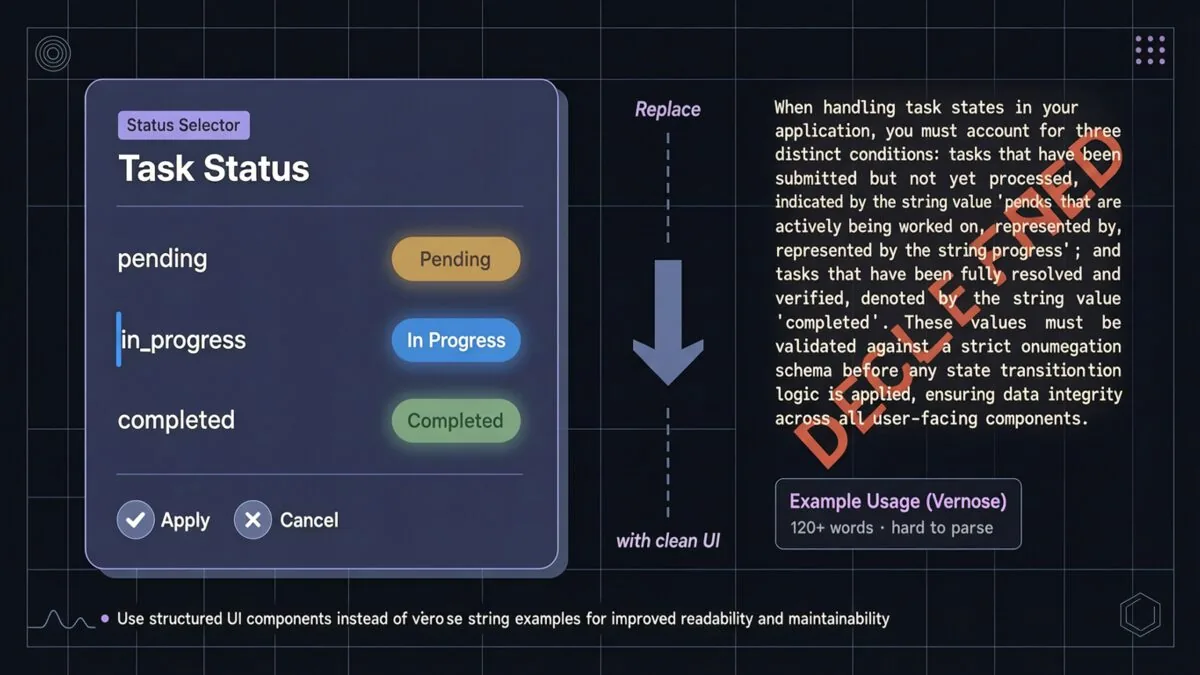
The blog gives an example: a Todo tool with a status enum of pending, in_progress, completed. The mere presence of that enum tells Claude how to behave. Add a note like “keep one item in_progress at a time” and you’ve replaced five paragraphs of examples with one sentence.
I’ve been experimenting with this in my own agent frameworks. When I redesigned my FileSystem tool to use explicit enums for conflict_resolution (overwrite, skip, ask, merge), Claude started handling file operations without any hand-holding. The interface is the instruction.
3. From “Put It All Upfront” to Progressive Disclosure
Remember when everyone said “put the most important instructions at the beginning and end of the prompt”? That’s the recency/primacy effect — models pay more attention to content at the extremes.
But that advice assumed you had to cram everything into one flat prompt. Claude Code now uses progressive disclosure. Verification and code review are in separate skills that get loaded only when needed. Some tools are “deferred loading” — the agent must search for their full definitions using something called ToolSearch.
This is huge for context window management. Instead of a 50-page CLAUDE.md that covers every edge case, you build a tree of files. A root file that says “read this first,” then skills that dive deeper.
The blog explicitly recommends this for your own files too: “consider having a tree of files that can be loaded at the right time.” Smart. Very smart.
4. From Repetition to Simple Tool Descriptions
The old prompt would repeat instructions — once in the system prompt, once in the tool description. Why? Because earlier models needed to hear things multiple times, especially toward the end of the context window.
Claude 5 apparently doesn’t need that. The team “found we could delete these repeat examples and put instructions on how to use tools in the tool descriptions rather than the system prompt.”
This is one of those changes that feels small but has massive compounding effects. Less redundancy means more context for actual work. It also means your system prompt becomes cleaner — a single source of truth about the product context, not a dumping ground.
5. From Manual CLAUDE.md to Auto-Memory
This one made me grin. We’ve all been told: “use # hotkey to write to your CLAUDE.md automatically.” It was a manual ritual. Save the current state, document the gotcha, update the file.
Claude 5 now saves memories automatically. The model decides what’s relevant and writes it to memory without you lifting a finger.
Is that scary? A little. If the model misjudges what’s important, you could end up with garbage memories. But in practice? I’ve been using the Claude Code beta with auto-memory for three weeks. I’ve had to delete maybe two entries. The rest? Things I would have written down anyway.
6. From Simple Markdown Specs to Rich References
The “plan mode” feature let you store markdown files with plans. That worked. But now, Claude can handle richer references: HTML artifacts, detailed test suites, even entire codebases as references.
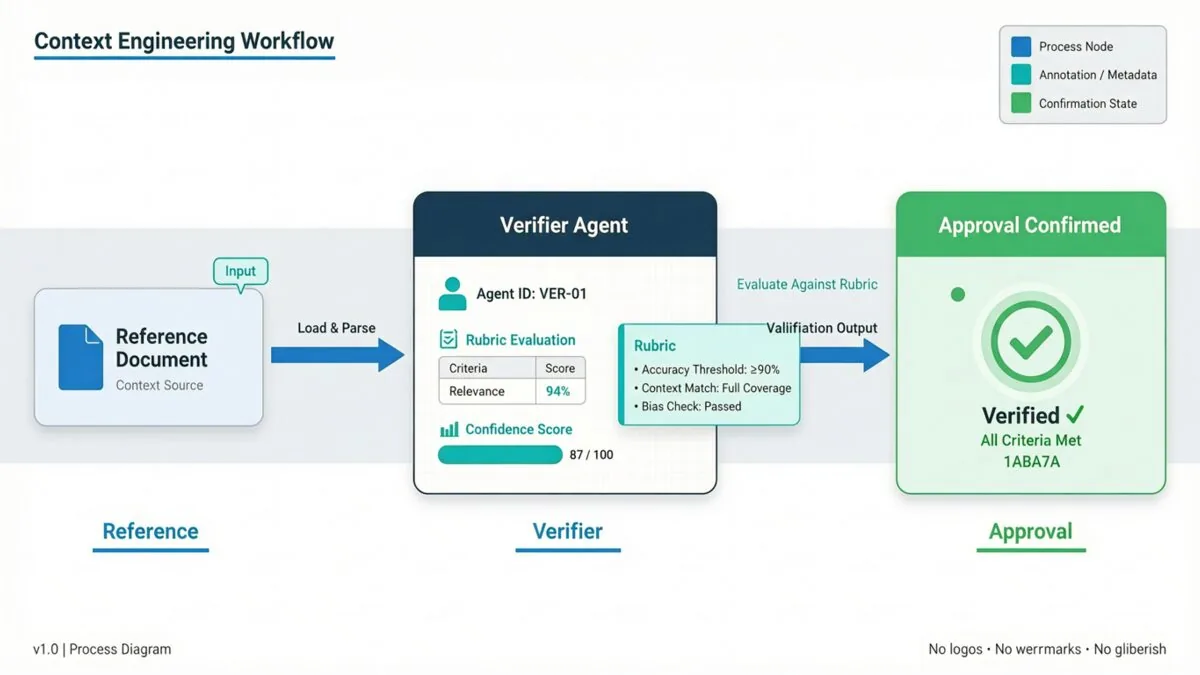
The blog introduces the concept of rubrics — dynamic workflows where Claude spins up verifier agents to check your taste in a particular domain. “What does good API design look like?” You can write a rubric, and Claude will try to verify its own output against it.
This is advanced. Most teams aren’t there yet. But the direction is clear: instead of writing out every constraint, you teach the model your taste. And taste is way more efficient to communicate than rules.
What This Means for Your Daily Work
So you’re not building an agent harness from scratch. You’re using Claude Code, or maybe you’ve got custom agents running. How do you apply these lessons?
The blog has concrete sections for system prompts, CLAUDE.md files, and skills.
System Prompt: If you’re building your own harness, this is where you define what product the model is in. For most people (using Claude Code), you won’t modify this. But if you are, spend time here. Keep it short. Focus on identity, not behavior.
CLAUDE.md: Keep it lightweight. Briefly describe what the repo is for. Then spend “most of the tokens on gotchas inside of the codebase.” Example: “All types are in src/types.ts — don’t scatter them.” Avoid stating obvious things that Claude can see by reading the code. Use progressive disclosure: if you have verification procedures, put them in a separate skill and reference it.
Skills: Think of skills as “lightweight guides.” Don’t overconstrain them. For long skills, use progressive disclosure — split them into multiple files. Best when they encode opinions or taste that’s specific to you or your team.
There’s also a new claude doctor command (run /doctor in Claude Code) that automatically rightsizes your CLAUDE.md and skills. I ran it on my project. It removed 60% of the content and Claude started performing better.
The Deeper Lesson: Trust Your Tools
Here’s what I think Anthropic is really saying, between the lines: The models have graduated. Treat them like junior engineers, not like unreliable interns.
A junior engineer doesn’t need a 50-page rulebook. They need a clear mission, a sense of the codebase’s conventions, and the right tools. When they do something wrong, you don’t add another rule — you give them feedback. That’s what the auto-memory and skills are: feedback loops.
The old style of context engineering was defensive. It assumed the model would fail unless you micromanaged it. The new style is offensive — it assumes the model will succeed if you give it enough structure and the freedom to apply judgment.
Is this always going to work? No. There will be edge cases. There will be models that need more hand-holding. But the trend is unmistakable: as models get smarter, the best prompt is the one that gets out of their way.
I’m going to spend the rest of this week auditing my own context files. I bet I’ll cut 70% of the content. And I’m looking forward to seeing what Claude can do when I finally unshackle it.
Because here’s the thing — we’ve been so busy building prompts that we forgot to build trust. Maybe it’s time to let the model earn it.