I used to spend more time fixing Python dependency conflicts than actually running audio models. Then I found audio.cpp — a C++ inference framework built on ggml that not only eliminates the environment headache but also can run some TTS models faster than comparable Python implementations in the cited tests. And it does voice cloning, ASR, diarization, VAD, source separation, and even music generation through the same binary. This is the tool I wish had existed three years ago.
The Python Audio Inference Nightmare
Let me paint you a picture. It’s 2023. You want to try a new text-to-speech model that just dropped. First, you create a fresh Conda environment (because the last one is still broken from that weird PyTorch CUDA mismatch). Then you install twenty-something Python packages, only to discover the model expects an older version of torchaudio that conflicts with your GPU driver. You spend an hour debugging, finally get it running, generate a five-second audio clip, and realize the latency is unusable for real-time use anyway.
Sound familiar? I lived this struggle for years. Every audio model came with its own Python runtime, its own set of requirements, its own quirks. Want to chain TTS with ASR and voice cloning? Hope you’re ready to juggle three separate environments and pray they don’t fight.
That’s why I nearly jumped out of my chair when I stumbled upon audio.cpp.
What audio.cpp Actually Is (And Isn’t)
audio.cpp is not another Python library. It’s a high-performance C++ audio inference framework built on top of ggml — the same tensor library powering llama.cpp and whisper.cpp. But instead of focusing on a single model family, it provides a shared native runtime for dozens of modern audio models. TTS, voice cloning, voice conversion, ASR, diarization, VAD, source separation, codec models, forced alignment — they all speak the same framework language.
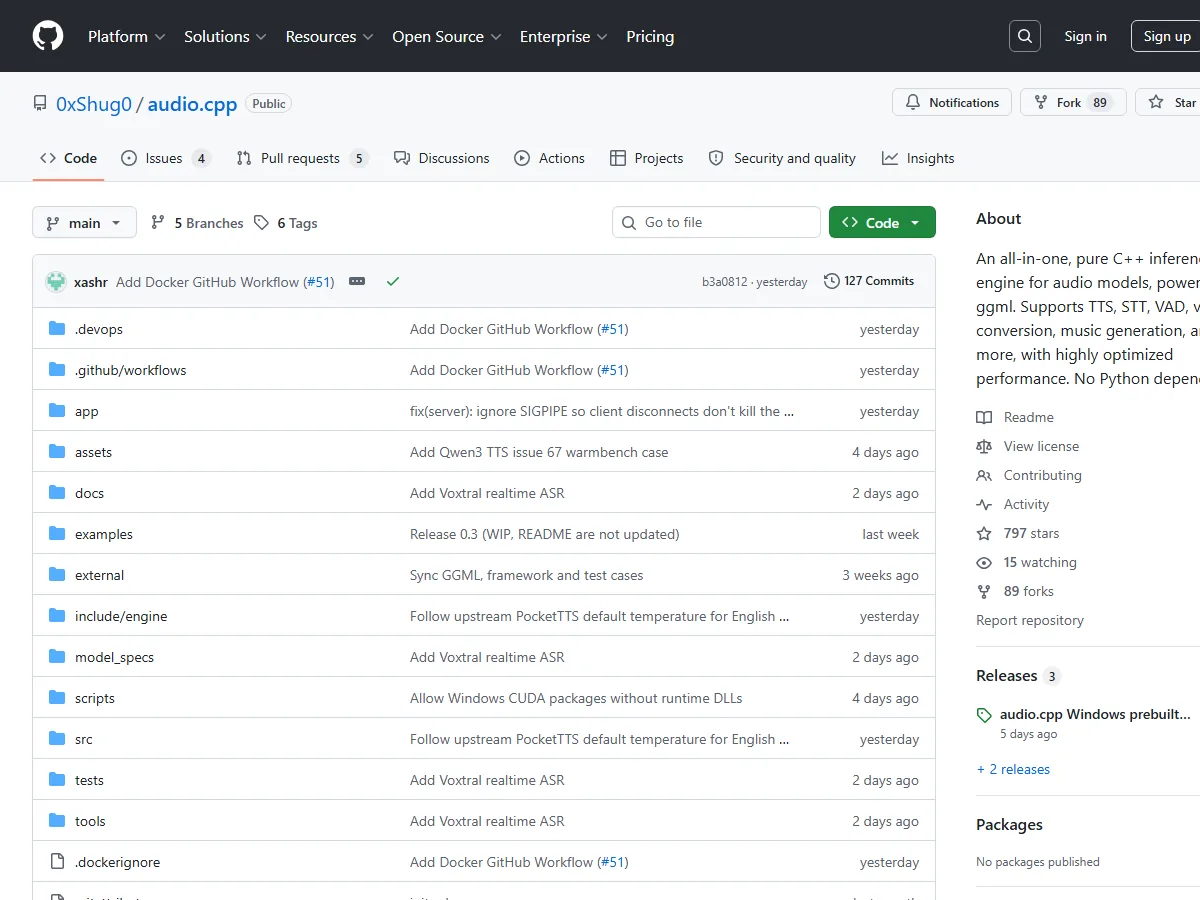
The goal is dead simple: give every audio model a single, unified, portable, and fast execution path. No more Conda. No more environment hell. Just a C++ binary and a bunch of model weights.
The Numbers That Made Me Gasp
I’m a skeptic by nature. Show me performance claims, and I’ll ask for reproducible benchmarks. audio.cpp delivers them.
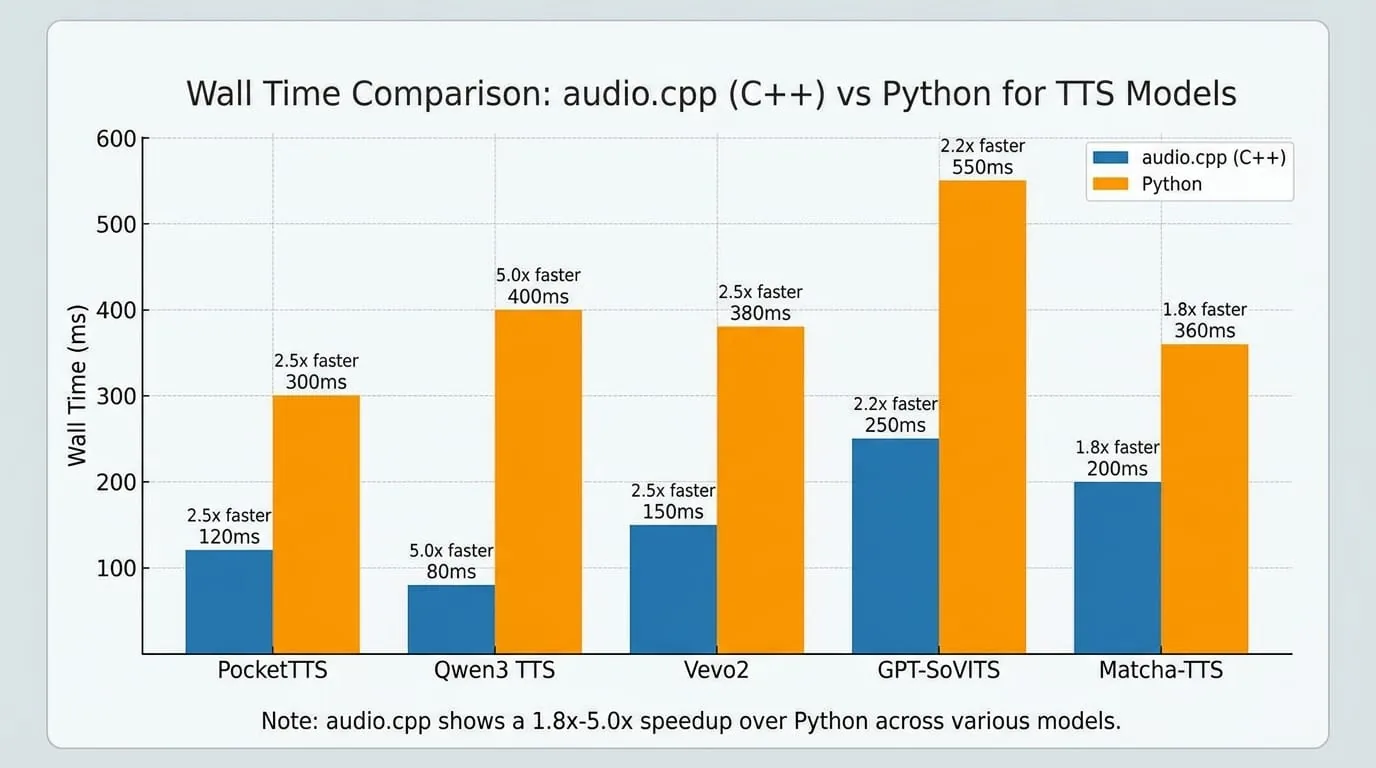
In the cited benchmark set, multiple TTS paths were measured at 1.8x to 5.0x the speed of their Python reference implementations, while end-to-end latency was reported as 45%–80% lower. Results will vary with hardware, model, runtime settings, and workload; the comparison used the same CUDA setup and original model weights without quantization.
Some specific numbers that blew my mind:
- Supertonic 3 on an RTX 5090: generates about 10 hours of audio in 3 minutes. That corresponds to about 200x real-time on CUDA in this test, and about 6x real-time on CPU.
- VibeVoice 1.5B: generates a 93.9-minute podcast in 18.2 minutes (10 diffusion steps, no quantization). That corresponds to 5.15x real-time in this test.
- PocketTTS: one-shot runs were measured at 3.68x the speed of Python and long-form runs at 3.15x, with 68–72% less wall time in those tests.
- Qwen3 TTS: measured at 2.74x the speed in long-lived sessions, with 67% lower latency in that comparison.
And here’s the kicker: the real-world ASR win on messy French meeting audio (TranscrIA benchmark) showed audio.cpp’s Nemotron 3.5 ASR matching the same Word Error Rate as other implementations while using about one-quarter of the wall time. Not a synthetic benchmark — actual noisy, multi-speaker meeting audio.
The Model Cornucopia
What models does audio.cpp support? Let me grab the latest table from the repo (as of July 2026):
| Family | Task | Languages |
|---|---|---|
| ace_step | Music gen/editing | 50+ |
| chatterbox | TTS, voice cloning, voice conversion | 18 languages |
| citrinet_asr | ASR | en |
| heartmula | Music gen | zh, en, ja, ko, es |
| htdemucs | Source separation | agnostic |
| marblenet_vad | VAD | agnostic |
| mel_band_roformer | Vocal separation | agnostic |
| miotts | TTS, voice cloning | en, ja |
| nemotron_asr | ASR | 100+ prompt codes |
| pocket_tts | TTS, voice cloning | en, de, it, pt, es |
| qwen3_asr | ASR | 17 languages |
| qwen3_tts | TTS, voice cloning, voice design | 8 languages |
| seed_vc | Voice conversion | agnostic |
| silero_vad | VAD | agnostic |
| sortformer_diar | Diarization | en |
| stable_audio | Music/sound gen | en |
| supertonic | TTS | 30+ languages |
| vevo2 | TTS, singing, voice conversion | en, zh |
| vibevoice | TTS, multi-speaker dialogue | en, zh |
| voxtral_realtime | Real-time ASR | auto |
| voxcpm2 | TTS, voice cloning | 31 languages |
| index_tts2 | TTS, expressive speech | zh, en |
| … | … | … |
And this list is growing. The latest release (v0.3, July 14, 2026) added five new TTS families: IndexTTS2, Irodori-TTS, MOSS-TTS-Nano, MOSS-TTS-Local, and Supertonic 3. The Voxtral Realtime ASR model dropped just two days ago (July 18, 2026) with streaming support and RTF 0.089 (11.2x realtime) on BF16 GGUF.
CLI: One Command to Rule Them All
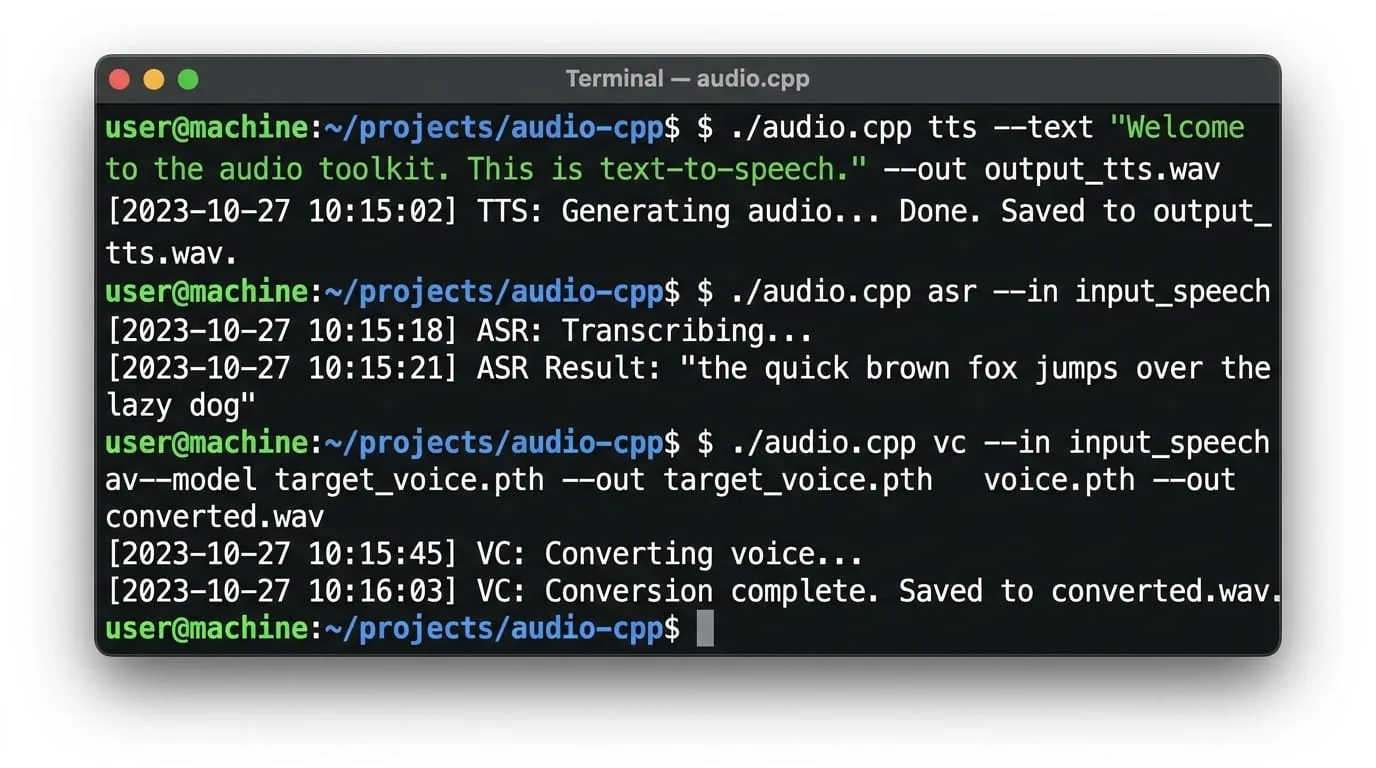
The user experience is where audio.cpp truly shines. You build once, and then it’s just:
# Text-to-speech with PocketTTS
audiocpp_cli --task tts --family pocket_tts --model /path/to/model \
  --backend cuda --text "Hello world" --out output.wav

# ASR with Qwen3
audiocpp_cli --task asr --family qwen3_asr --model /path/to/model \
  --backend cuda --audio meeting.wav

# Voice conversion with SeedVC
audiocpp_cli --task vc --family seed_vc --model /path/to/model \
  --backend cuda --audio source.wav --voice-ref target.wav --out converted.wav
Same binary, same interface, completely different models. Want to chain TTS and ASR? Use pipelins:
audiocpp_cli --pipeline speech_redub.json --backend cuda \
  --workflow-input source_audio=long_speech.wav \
  --workflow-input target_voice=my_voice.wav
The pipeline system is experimental but already powerful — it handles long audio splitting, chunked processing, and output merging. For production-style jobs like redubbing, batch cleanup, or transcription-plus-alignment, this is a game changer.
Building — Cross-Platform Done Right
I’ll be honest: building C++ projects often scares me more than Python dependency hell. But audio.cpp’s build system is refreshingly straightforward.
Linux: One script, three backends
scripts/build_linux.sh --backend cuda --target audiocpp_cli --target audiocpp_server
Windows: PowerShell preset
.\scripts\build_windows.ps1 -Preset windows-cuda-release -Target audiocpp_cli
macOS: Metal script
scripts/build_metal.sh --target audiocpp_cli
And Docker images are available for both CPU and CUDA, so you don’t even need to build if you don’t want to. The build options are well-documented: you can enable/disable CUDA, Vulkan, Metal, OpenMP, llamafile SGEMM, CUDA graphs, native CPU tuning, and even deployment builds that embed model package specs into the binary.
Why This Matters Beyond the Hype
I’ve seen a lot of “AI frameworks” come and go. What makes audio.cpp different is its practical focus. It’s not trying to be everything to everyone — it’s optimized for real end-to-end execution rather than one-off model demos. The same runtime that powers TTS also powers voice cloning, ASR, diarization, and workflows that combine them.
The project is already being used in production:
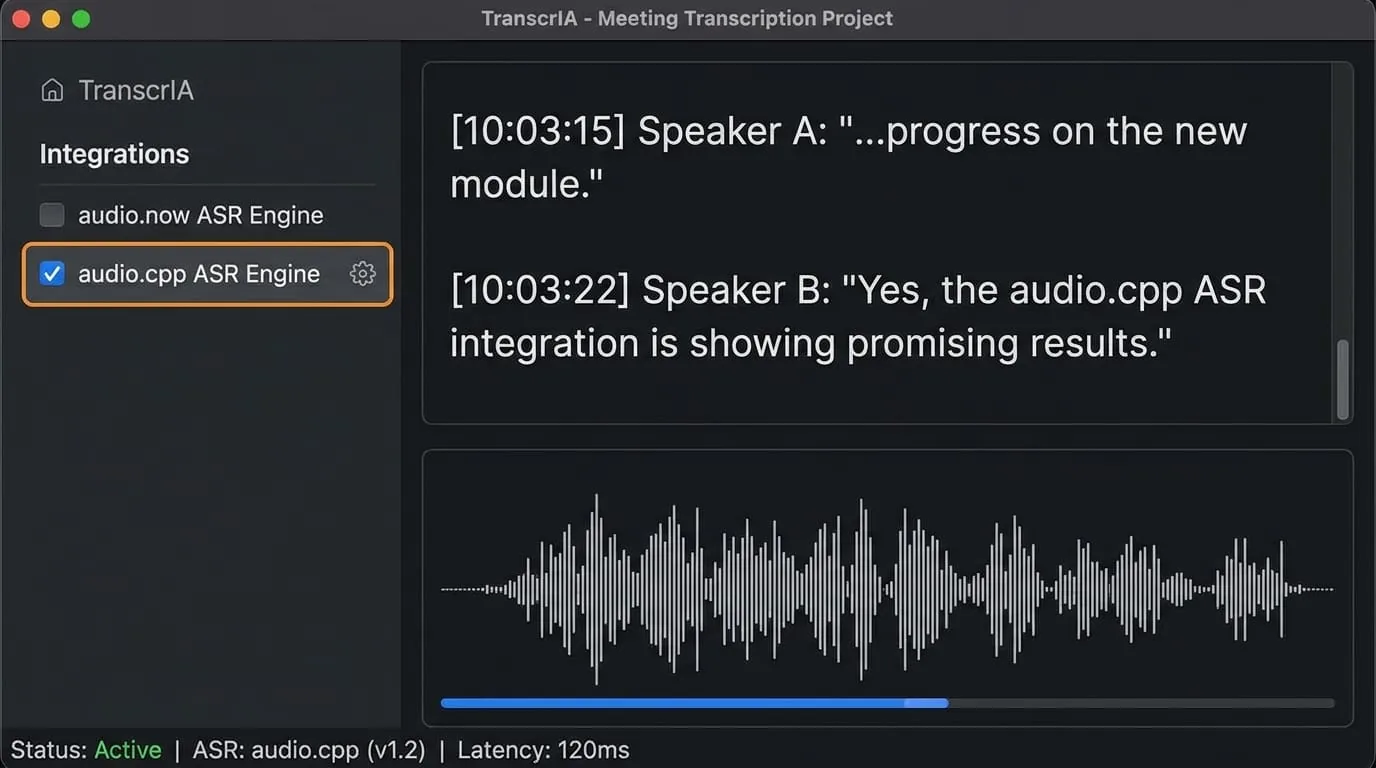
- TranscrIA: A self-hosted meeting transcription platform that integrates audio.cpp as a first-class STT engine.
- Pocket TTS Browser Engine: Brings fully local PocketTTS voices into Chrome and Edge through the browser TTS API.
- GuideAnts: Uses audio.cpp as the default local AI stack for ASR and TTS.
This isn’t vaporware. It’s shipping, it’s being adopted, and it’s solving real problems.
The GGUF Story — Portable Models Without the Bloat
One of the smartest design decisions in audio.cpp is the embrace of GGUF as a first-class container format. Just like llama.cpp made large language models portable with GGUF, audio.cpp now has reusable GGUF loading and conversion support for multiple ASR and TTS models. Some models were reported to run up to 2× faster with Q8 GGUF quantization in specific tests; results depend on the model and settings.
The converter (audiocpp_gguf) can pack multi-component checkpoints into a single GGUF file with embedded sidecars, making deployment as simple as copying one file. No more juggling config.json, tokenizer.json, and multiple .safetensors shards. One file. One model. Done.
And with the Model Manager Python tool (tools/model_manager.py), downloading and installing models is a breeze:
python3 tools/model_manager.py install qwen3_tts_1_7b_base
It supports direct Hugging Face downloads for many models (marked “Yes” in the supported table) and can assemble composite packages from multiple sources when needed.
The Secret Sauce: Why It’s So Fast
I’m no C++ wizard, but I can appreciate good engineering. audio.cpp achieves its speed through several layers of optimization:
- Native C++ execution with no Python overhead — no GIL, no interpreter, no JIT warmup.
- Reusable sessions that amortize model load, cached state, and runtime setup across multiple requests.
- CUDA Conv1D transpose speedups — a massive win for audio models that rely on transposed convolutions.
- Llamafile SGEMM integration for CPU builds.
- CUDA graphs for kernel launch optimization (enabled by default).
The result is that even in long-lived session scenarios (where the same loaded model serves multiple requests sequentially), the gains remained measurable — PocketTTS was measured at 3.22x the speed of Python even after the first request.
What About Quality? (The Honest Trade-off)
I’m not going to pretend everything is perfect. The project is transparent about quantization trade-offs. Lower precision and quantized modes should be treated as “model- and route-specific optimizations rather than universally safe defaults.” In their own testing, ACE-Step 1.5 failed at lower precision (“planner masked decode found no valid token”), and Vevo2 showed noticeable quality degradation with non-float32 outputs.
The performance gain from quantization can be minor — Q8_0 was only 3.8% faster on Qwen3-TTS and 3.6% on Vevo2. But the memory benefit is real: switching Qwen3-TTS to Q8_0 reduced peak RAM by 3.7% and peak VRAM by 25%. So it’s a tool in the toolbox, not a default.
That’s honest engineering. I respect that.
Who Should Use This?
If you’re a developer building audio applications — whether it’s a podcast generator, a real-time transcription service, a voice cloning tool, or a music composition assistant — audio.cpp should be on your radar. It’s especially valuable if:
- You’re tired of maintaining multiple Python environments.
- You need low-latency inference (the project reports 47 ms TTFT in one CUDA streaming test).
- You want to run models on-premise or on edge devices with limited resources.
- You need a single interface for multiple audio tasks (TTS → ASR → diarization → pipeline).
The learning curve is steeper than a Python library, sure. But the payoff in performance, portability, and sanity is enormous.
The Community and Future
audio.cpp is open source (MIT license) and moving fast. The July 2026 release cycle alone packed in Voxtral Realtime ASR, five new TTS families, GGUF support, voice conversion for Chatterbox, and major CUDA optimizations. The project explicitly credits contributors and maintains a clear contribution guide — they need help with UI, API server, and pipeline/workflow subsystems.
I’ve watched the repo grow from its first model wave in late June to a full ecosystem in less than a month. That pace is impressive and shows genuine momentum.
Final Thoughts — Why I’m Recommending This
I’ve been burned by too many “universal AI frameworks” that promised the world but delivered a half-baked SDK with broken examples. audio.cpp is different. It’s built by people who clearly understand the pain of audio model deployment and have the engineering chops to fix it.
It’s not a replacement for training frameworks — you still need your Python tools for that. But for inference? For production deployment? For building real audio applications that actually work? audio.cpp is the best thing I’ve seen in years.
Go check it out. Clone the repo. Build it. Run a model. You might just throw away your Conda environments like I did.