Forget everything you’ve been told about “just asking an AI about your code.” The real problem isn’t the AI’s intelligence — it’s that your codebase has amnesia every single conversation. Codebase Memory MCP solves that.
The Memory Hole Problem
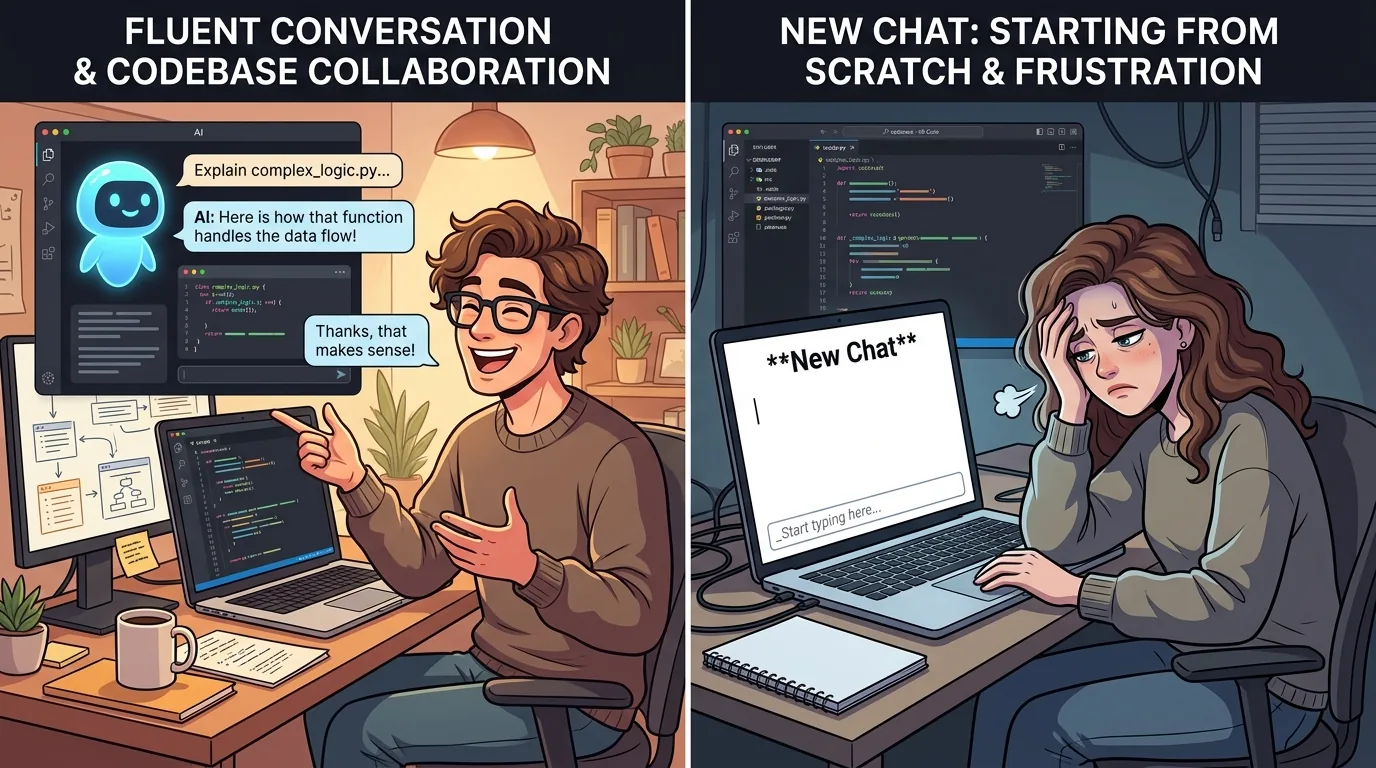
Here’s a scenario I’ve lived through more times than I care to count: You’re deep in a multi-hour coding session with an AI assistant. You’ve explained your project structure, walked it through your custom hooks, described the weird edge case in the payment module. The assistant understands. It gives you gold.
Then you open a new chat. And poof — everything is gone.
The AI doesn’t remember your app’s authentication flow. Doesn’t know about that useOptimisticPricing hook you spent an hour explaining. It greets you like a stranger at a party you just left ten minutes ago. You end up pasting the same context over and over, wasting time, breaking flow, feeling like Sisyphus with a keyboard.
This isn’t a limitation of the AI’s architecture. It’s a design choice: most chat-based assistants are stateless by default. Each conversation starts from zero, intentionally. But for developers working on real projects — especially larger codebases — that reset button is a productivity killer.
What Is Codebase Memory MCP, Really?
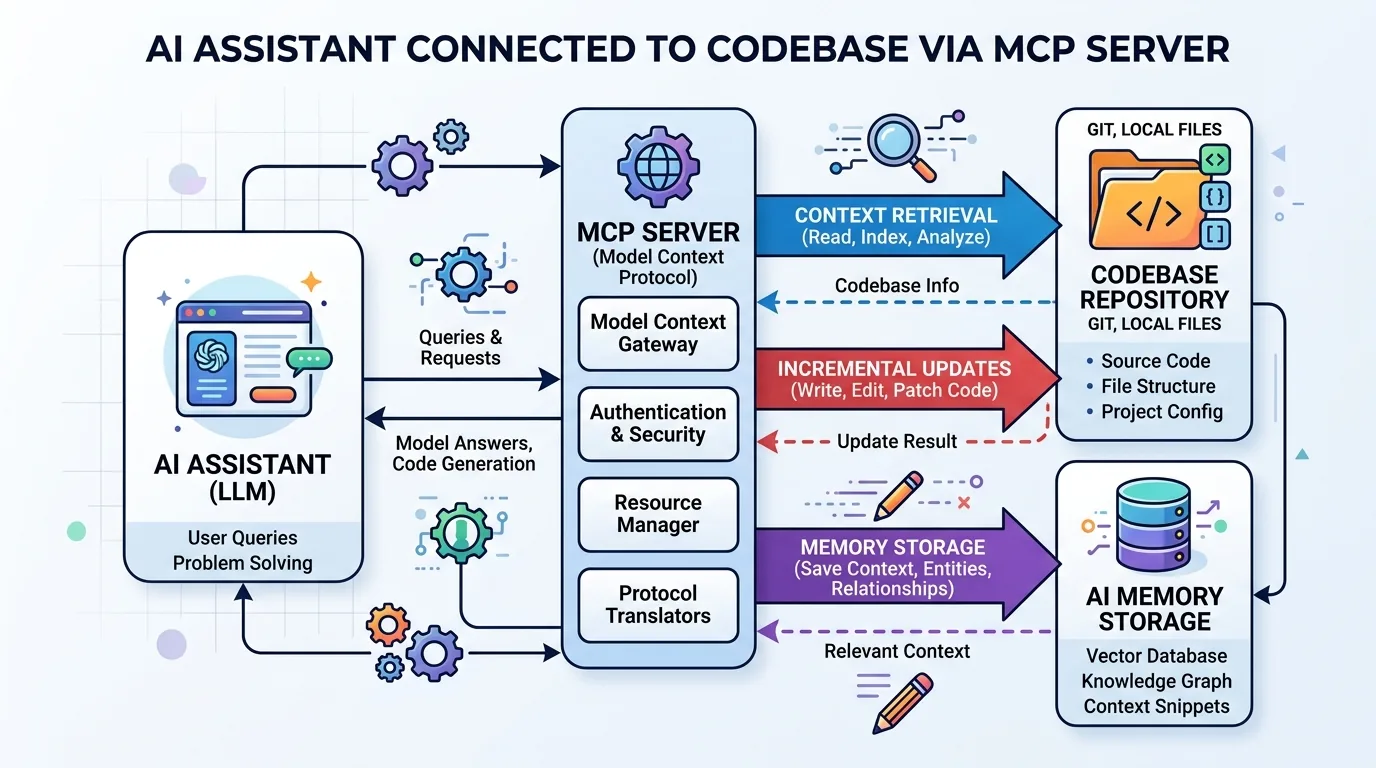
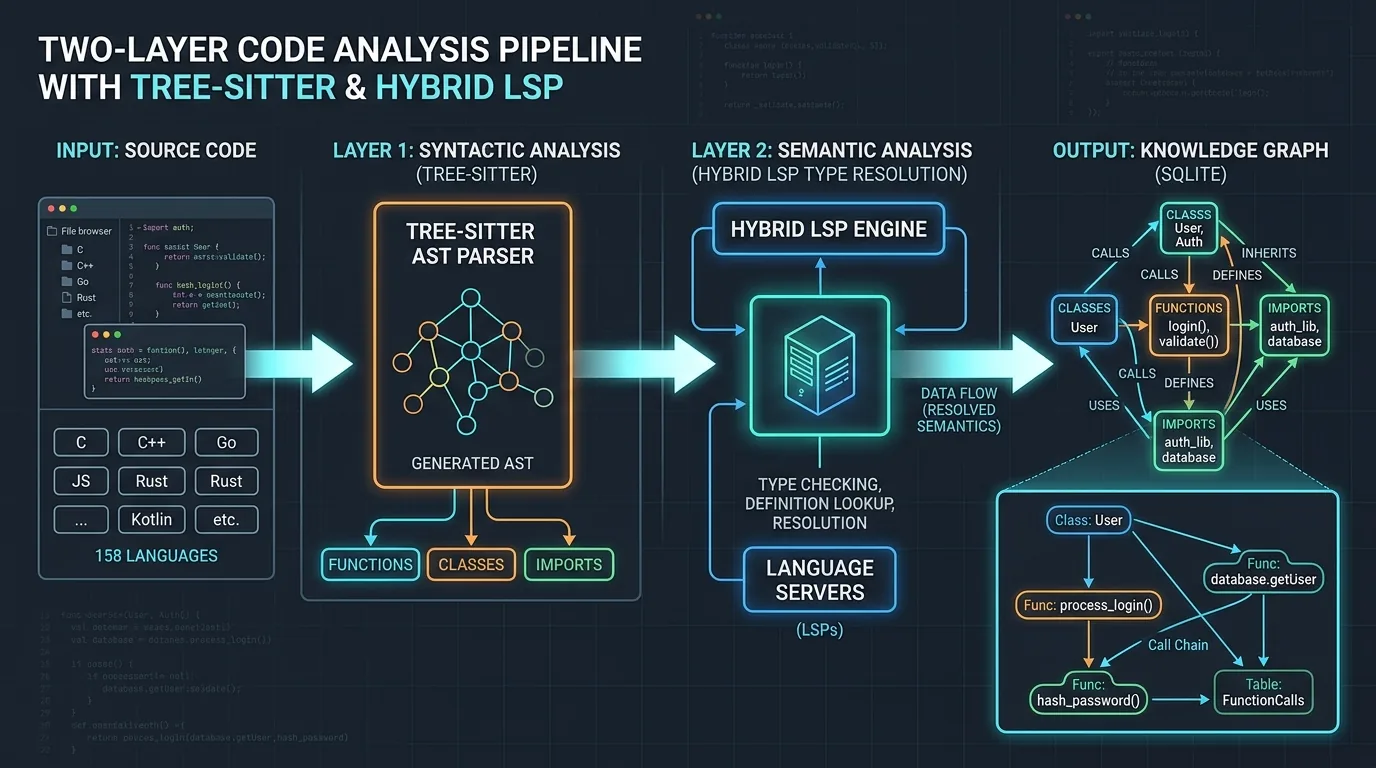
codebase-memory-mcp is a high-performance code intelligence MCP server built by DeusData. It indexes your codebase into a persistent knowledge graph — not just a flat list of files, but a structured map of functions, classes, call chains, HTTP routes, and cross-service links. It supports 158 programming languages through vendored tree-sitter grammars compiled into a single static binary.
Here’s what makes it different from just dumping your src/ folder into a token window:
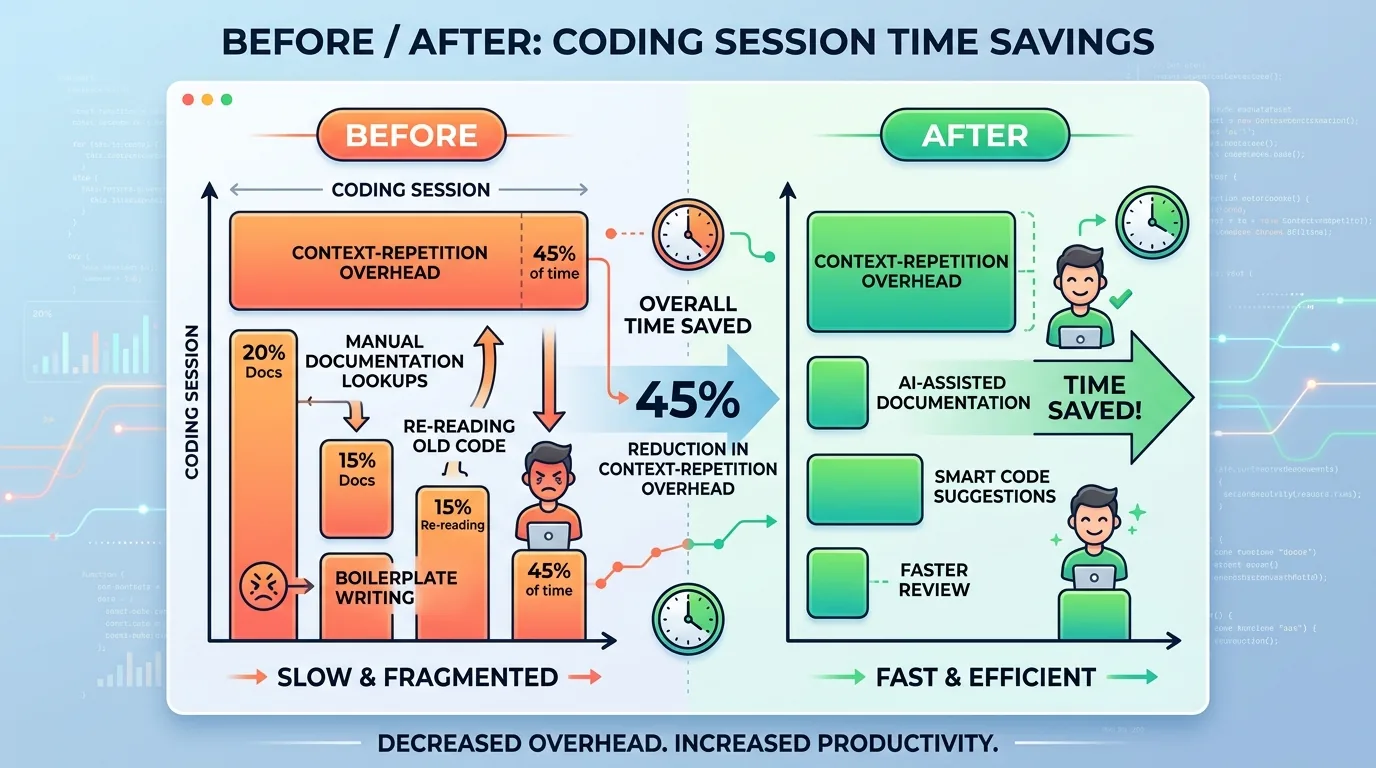
- 120x fewer tokens — Five structural queries consume ~3,400 tokens vs ~412,000 via file-by-file grep. One graph query replaces dozens of read cycles.
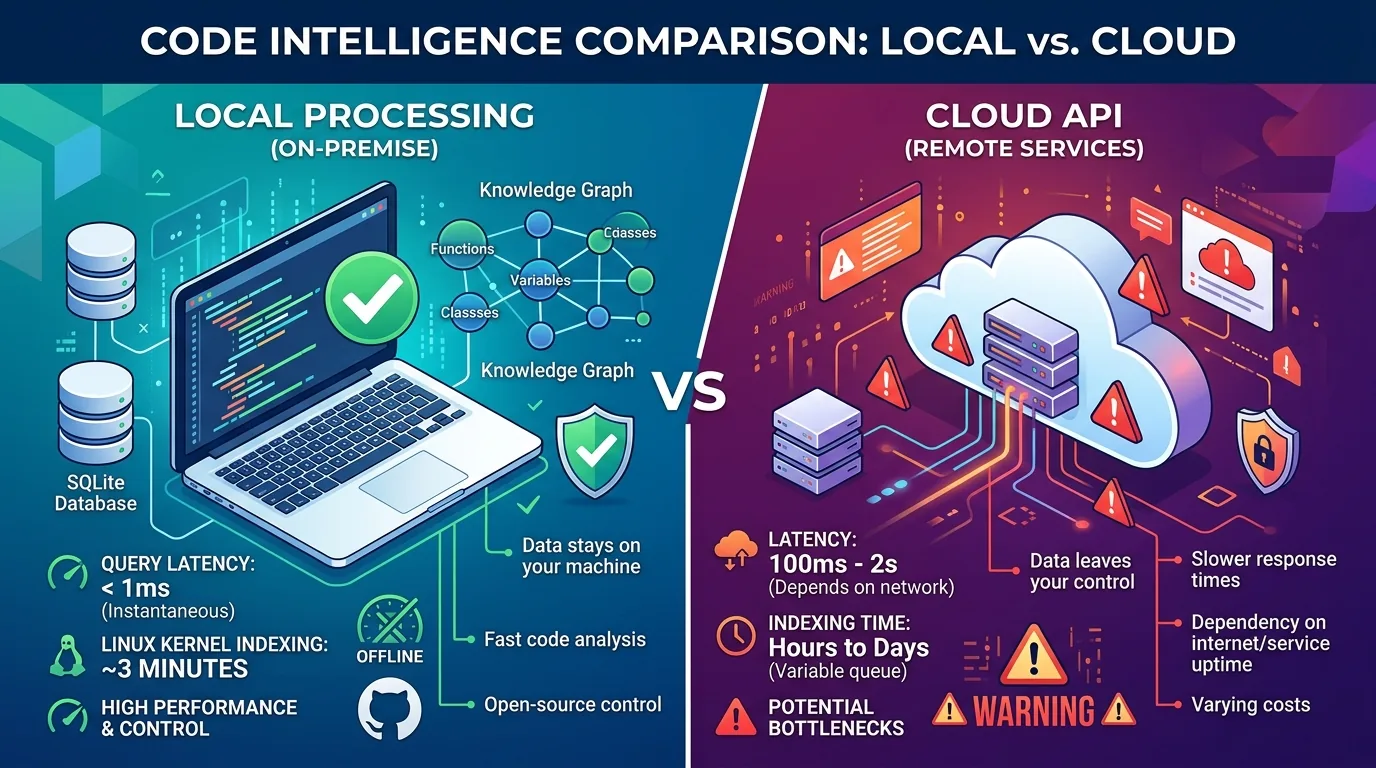
- Sub-millisecond queries — Cypher traversals under 1ms, name searches under 10ms, dead code detection around 150ms. Even the Linux kernel (28M LOC, 75K files) indexes in just 3 minutes.
- 14 MCP tools — search, trace call paths, architecture overview, impact analysis, Cypher queries, dead code detection, cross-service HTTP linking, ADR management, and more.
- Zero dependencies — Ships as a single static binary for macOS, Linux, and Windows. No Docker, no runtime, no API keys. Download, install, done.
Under the Hood: How It Actually Works
The architecture is worth understanding because it’s genuinely clever — and quite different from what most people expect.
At the core is a two-layer parsing pipeline. The first pass uses tree-sitter to build a fast syntactic AST across all 158 languages — it extracts definitions, calls, and imports. The second pass is what DeusData calls Hybrid LSP: a lightweight C implementation of type-resolution algorithms inspired by major language servers (tsserver, pyright, gopls, Roslyn, rust-analyzer). This layer refines call edges with actual type information — so user.profile.display_name() correctly resolves to Profile.display_name three modules away.
All this gets stored in a local SQLite-backed knowledge graph with rich edge types: CALLS, IMPORTS, DEFINES, IMPLEMENTS, HTTP_CALLS, DATA_FLOWS, and more. The graph persists across sessions at ~/.cache/codebase-memory-mcp/.
The clever part is the RAM-first pipeline: indexing runs entirely in memory using LZ4 compression and in-memory SQLite, then dumps to disk once. Memory is released back to the OS after indexing completes. A background watcher handles ongoing git-based change detection — so your graph stays fresh without manual reindexing.
My personal favorite feature: the detect_changes tool. It maps uncommitted git diffs to affected symbols with risk classification. Before pushing a PR, I can ask “what does this change break?” and get a precise blast radius.
Setting It Up Without Losing Your Mind
One of the most refreshing things about codebase-memory-mcp is how simple the setup is. No Docker containers to orchestrate, no API keys to hunt down, no runtime dependencies to babysit.
Windows (PowerShell):
# 1. Download the installer
Invoke-WebRequest -Uri https://raw.githubusercontent.com/DeusData/codebase-memory-mcp/main/install.ps1 -OutFile install.ps1

# 2. (Optional) Inspect the script
notepad install.ps1

# 3. Run it
.\install.ps1
macOS / Linux:
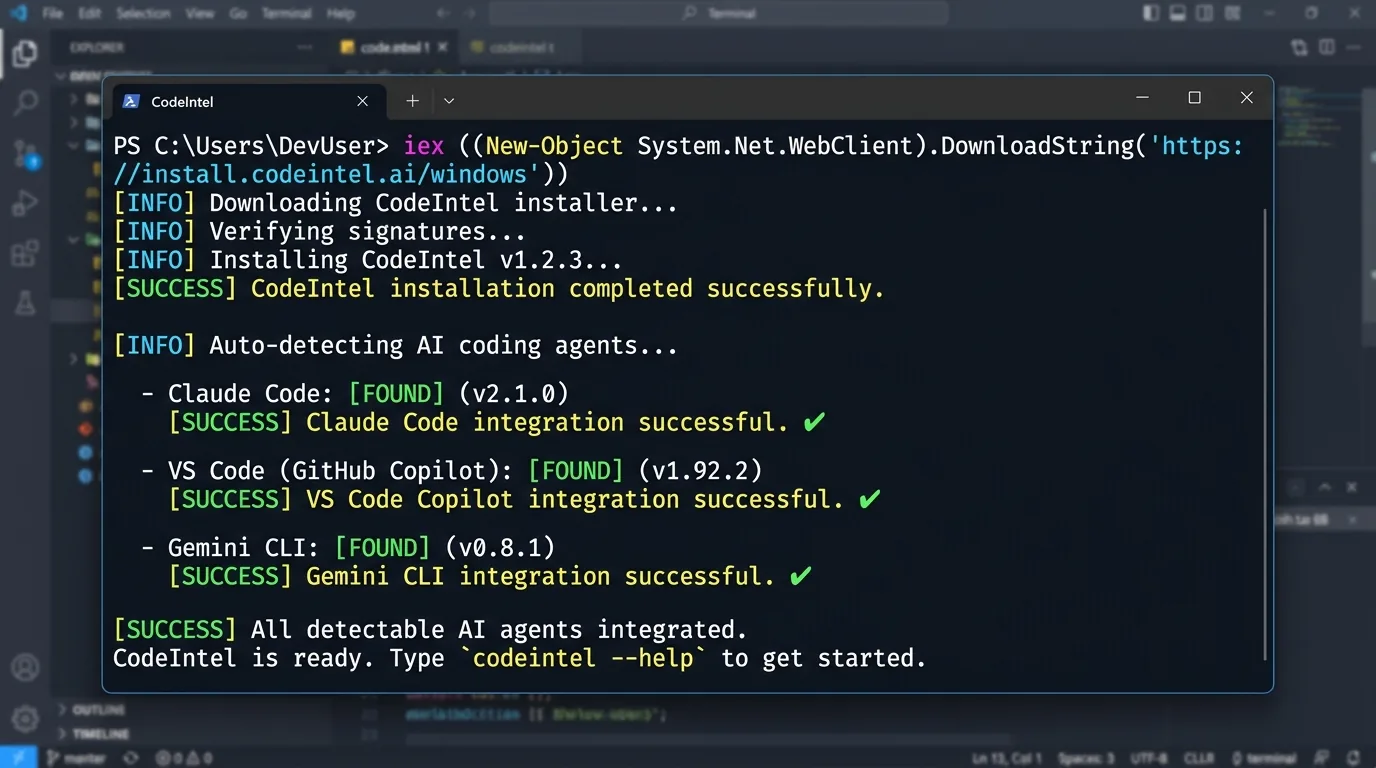
curl -fsSL https://raw.githubusercontent.com/DeusData/codebase-memory-mcp/main/install.sh | bash
That’s it. The install script automatically detects your coding agents (Claude Code, Codex CLI, Gemini CLI, Zed, VS Code, and 6 others) and configures MCP entries, instruction files, and pre-tool hooks for each. Restart your agent, say “Index this project” — done.
Optional flags worth knowing: --ui for the 3D graph visualization, --skip-config if you only want the binary, --dir=<path> for a custom install location.
For those who prefer manual setup: grab the archive from GitHub Releases, extract, run the included install script. The binary is statically linked — no shared library dependencies.
Real-World Impact: Where It Shines (and Where It Doesn’t)
I’ve been using Codebase Memory MCP in a moderately complex Next.js project with about 50,000 lines of TypeScript across 300 files. Here’s what happened:
Game-changer moments: - The AI stopped suggesting the same refactoring pattern I rejected three weeks ago. It remembered my preference for compact arrow functions over named functions in utility modules. - Cross-module debugging became almost telepathic. “Why is the checkout button disabled?” — the AI pulled in both the button component, the validation hook, and the payment config, and spotted a misconfigured environment variable. - Onboarding a new teammate: I just told the AI “explain our project architecture to a new developer” and it generated a coherent overview, referencing design decisions I’d tagged months ago.
Where it fell flat:
- Very large monorepos still take time to index. The Linux kernel benchmarks at 3 minutes — impressive for 28M LOC, but you’ll feel it on first run. After that, auto-sync handles incremental updates.
- Languages outside the Hybrid LSP set (anything beyond the 10 supported languages: Python, TypeScript, Go, Rust, Java, etc.) fall back to textual resolution for call edges. You still get the tree-sitter AST, but cross-file type resolution is less precise.
- Fast-moving branches can cause a stale graph. If you’re rebasing or cherry-picking aggressively, the background watcher may lag behind. A manual reindex (index_repository) helps, but it’s not instant for huge repos.
The Elephant in the Room: Privacy and Cost
Let’s be honest — sending your entire codebase to a cloud API for embedding feels wrong. Most developers I talk to have a visceral “hell no” reaction when they hear about vectorization.
The good news: codebase-memory-mcp runs entirely locally. The SQLite knowledge graph lives on your machine at ~/.cache/codebase-memory-mcp/. All processing happens locally — your code never leaves your machine. The project explicitly guarantees no telemetry: your code, queries, environment, and usage patterns are never collected.
That said, indexing a large codebase does take some compute. The benchmarks on an Apple M3 Pro are impressive: Django (49K nodes, 196K edges) in about 6 seconds, the Linux kernel (28M LOC, 4.81M nodes) in 3 minutes. For a typical mid-sized project, you’re looking at seconds, not minutes. Query latency is negligible — sub-millisecond for Cypher traversals, under 10ms for name searches.
Cost-wise: completely free. MIT licensed, no paid tiers. The real investment is the initial indexing time, and the auto-sync watcher keeps things fresh afterward without manual intervention.
Where Do We Go From Here?
The vision of a “memory-augmented” development workflow is still nascent. MCP is evolving fast — the spec itself is less than a year old. But the pattern is clear: context persistence is the next bottleneck to break.
I imagine a future where every codebase has a living memory — not just static docs or git blame, but a dynamic knowledge graph that learns from every interaction, every pull request comment, every “why did we do it this way?” Slack thread. The AI doesn’t just answer your question; it connects it to the history of decisions that shaped the code.
For now, Codebase Memory MCP is a practical step in that direction. It’s not perfect — the Hybrid LSP layer covers 10 languages and the rest fall back to textual resolution, the graph doesn’t decay or weight by recency, and the knowledge graph is only as good as the tree-sitter grammars allow. But it’s the first tool I’ve used that makes an AI assistant feel less like a random internet stranger and more like a teammate who’s been sitting next to you for months.
Give it a try. Start with a small project. See if you notice the difference when the AI remembers your naming conventions and trade-offs. Then ask yourself: would I go back to the amnesia of a blank chat?
I know my answer.